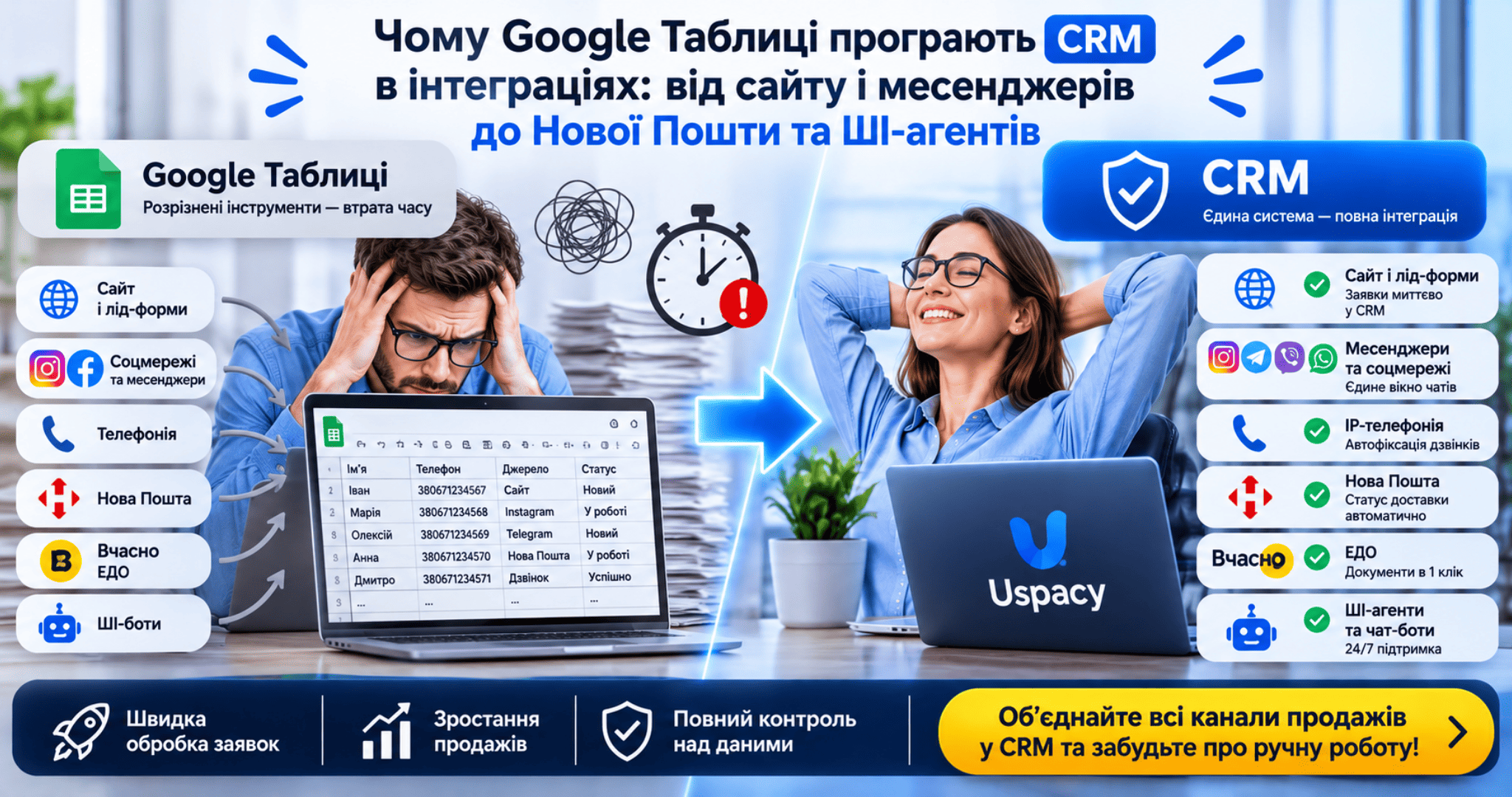
1. Websites and Lead Forms: Leads Enter the System in One Second
When working with spreadsheets, a website inquiry usually follows this path: a customer fills out a form → an email or Telegram notification arrives → a sales rep sees it half an hour later → copies the phone number and pastes it into a row. If a lead comes from a Facebook or Instagram Lead Ad form, someone has to manually export it from Meta Business Suite.
In a CRM, this entire chain shrinks to a single second:
-
Website forms and quizzes push contact details, UTM tags, and customer comments straight into a new lead card.
-
Facebook and Instagram Lead Forms automatically create a deal at the right pipeline stage and assign a responsible sales rep based on your rules (such as round-robin distribution).
From my background in launching and promoting websites, I have seen businesses burn through ad budgets not because of poor traffic, but because a landing page inquiry sat unopened in an inbox until the next morning. A CRM closes this gap completely.
2. Messengers and Social Media: Telegram, Viber, WhatsApp, Instagram, Facebook
Modern buyers prefer not to call—they message wherever it is most convenient for them right now. If your company has five sales reps and each replies from their own Telegram or Viber on a work phone, management has zero visibility into conversations or response times.
Integrating messengers and social media with a CRM solves this systematically:
-
All chats from Instagram Direct, Facebook Messenger, Telegram, Viber, and WhatsApp flow into a single unified inbox.
-
Chat history remains permanently tied to the customer's profile rather than an individual employee's device.
-
When a prospect messages your Instagram Direct for the first time, the system automatically creates a contact and a new lead without forcing the rep to switch between apps.
3. IP Telephony: Call Logging Without Manual Data Entry
In Google Sheets, call details only appear if a sales rep remembers to type them in. Forget to log it—or mistype a single digit in a phone number—and the lead is gone.
Connected IP telephony changes how your team works:
-
During an incoming call, a pop-up card immediately displays the caller's name and previous order history.
-
If the number is new, the system automatically creates a lead and attaches the call recording to the timeline.
-
Missed calls never get buried in a phone log; they automatically trigger a follow-up task for the assigned rep.
-
Outbound calls are placed in one click directly from the deal card without manual dialing.
4. Shipping and Documents: Nova Poshta and Vchasno
For e-commerce and B2B companies, logistics and paperwork eat up a massive share of daily working hours. In spreadsheets, managers constantly copy full names, cities, and branch numbers, generate waybills inside the carrier's portal, and then manually paste tracking numbers back.
Inside a CRM, these workflows happen without ever leaving the deal card:
-
Nova Poshta integration lets reps generate an express waybill in seconds using existing customer fields. The system tracks parcel statuses automatically—once a customer picks up their order at the branch, the CRM deal moves to "Closed Won" on its own (or triggers a reminder if a parcel has been sitting at the post office for four days).
-
Vchasno (electronic document management) integration eliminates routine work with contracts, invoices, and acts. Documents are generated from templates using the client's CRM details and sent for qualified electronic signature (QES) in a couple of clicks.
5. AI Agents and Chatbots: 24/7 First-Line Support
A major capability completely out of reach for spreadsheets is connecting smart chatbots and AI agents directly to your CRM and messengers. As SendPulse Gold Partners, we regularly build these setups for sales and support teams.
Here is how it works in practice:
-
A customer reaches out via Telegram or Instagram late at night or over the weekend.
-
A chatbot or AI agent trained on your company's knowledge base instantly answers common questions about pricing, availability, or delivery terms.
-
It qualifies the inquiry (gathering budget, timeline, and contact info) and hands off a "warm" deal card to the CRM complete with a conversation summary for the sales rep.
Channel Comparison: Google Sheets vs. Modern CRM
To clearly see the difference in day-to-day sales operations, let's compare how core tools behave in both approaches:
-
Websites and Lead Forms. In Google Sheets, inquiries must be copied manually from email or routed through complex paid connectors without guaranteed stability. In a CRM (such as Uspacy), leads are created instantly along with all UTM parameters.
-
Messengers (Telegram, Viber, WhatsApp, Instagram, Facebook). In spreadsheets, conversations are scattered across separate apps and phones, leaving no history in a central database. In a CRM, a single chat workspace automatically saves every thread inside the client card.
-
Telephony. In spreadsheets, reps manually type call summaries, creating a high risk of missed calls going unnoticed. In a CRM, inbound and outbound calls are logged automatically with audio recordings and missed-call controls.
-
Nova Poshta. In spreadsheets, staff repeatedly copy addresses into the carrier portal and update delivery statuses by hand. In a CRM, waybills are generated in two clicks and deal stages update automatically based on parcel tracking.
-
Vchasno e-Documents. In spreadsheets, managing files and registries requires separate manual work. In a CRM, documents are generated from templates and sent for signature straight from the deal card.
-
AI Agents and Chatbots. In a spreadsheet, there is no way to embed an AI agent natively into a rep's workflow. In a CRM, the bot qualifies the prospect and passes a ready-to-close deal with full context to the manager.
When It Is Time to Move Away from Spreadsheets
Google Sheets work great for financial accounting, quick calculations, or testing an early hypothesis when you only get two or three inquiries a week. However, the moment your business starts running regular ads, handling multiple communication channels, shipping via Nova Poshta, and managing even two sales reps, spreadsheets begin to slow down revenue. A CRM turns disconnected tools into a single pipeline where no inquiry slips through the cracks.
Ready to Unite Your Sales Channels in One System?
If you are tired of manually moving inquiries between spreadsheets, messengers, and the Nova Poshta portal, let's review your current workflows. I can help you configure Uspacy CRM to fit your business goals, connect telephony, chats, and e-document workflows, or reinforce your team with AI agents.
Leave a consultation request on the website or message me directly—we will put together a practical solution without unnecessary costs or overly complicated setups.
November 21, 2026